Thursday, October 10, 2013

Thing 12... Over halfway there

I have attached my calendar for the month of October. Once I figured out how to share it, it was the easiest thing one could ever do. ;) Sharing a calendar on your classroom blog would be an excellent resource for parents and students once they are at home. It could remind me of assignments that are due. I also like there there is a print option. As teacher you could print this out and send it home, but if the student looses it the parent will know where to look and print another one. Google calendar is an excellent tool for personal and teacher use. 

I use google scholar frequently when searching for scholarly articles for papers. I find it easier to use and often times will find an article that seems interesting then search for it on the free library databases. If I were to teach high school students I would recommend this to them doing research papers, because often times high school students only know what is availble to them on google. Google scholar will teach them about peer reviewed and safe to use resources. 

Number 11

I did not realize how many resources were available to look up RSS feeds. I found blogsearchengine easiest to use. It was not confusing and the blogs were right there available for me. The googlesearchblog was a bit more confusing. It did not take me to to straight to the blog always, up it took me different websites. One for example was parent magazine that had a craft from another blog. However, it had no access to the blog so I could not look up more posts from that blog without searching for the specific blog. I could spend hours looking at the feeds and searching new blogs.

Thing 10

I have never heard of RSS feeds, but then again I have never blogged until now. When I look at my Pinterest to go to the blogs I like for crafting, I do it one by one and it takes so much time to do that. I forget at times where one blog might be or how many I really do love. The RSS feed will save so much time when I want to look at my blogs. I can go to one place and look at everything I want. It really is wonderful. I added six pages about education, but now I will have to look for my favorite craft blogs or cooking blogs, and I must not forget new mom blogs. I am way too excited about having all the blogs I like in one website. I even downloaded the app to my iPad, making it that much easier to access.
Teachers can easily use RSS. Being a teacher requires constant research and learning new ideAs. The RSS feeds will allow teacher easy access to other teacher and new technology ideas. I will definitely use this when I become a teacher and even now while I am in school. I will be getting ideas on ways to teach my students. It is never to early to learn ideas.

Thing 9


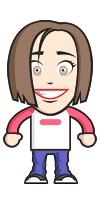
I chose to use the smile face generator. After spending the time working on this, I discovered that this picture didn't want to copy and paste to my blog. I found a new way though :)! I snapped a picture of it on my iPad and just copy and pasted. I like the use of the smiley face generators because there is so much you could do with this. Students could find these funny. I created this one, because sometimes I had teachers that would come in perky and wide awake when I just wanted to go to sleep. I will surely use these for my own purposes.

Thing 8

letter F letter O u30 letter R letter H letter G MAGPIE coaster letter R letter A Scrabble Green Letter D letter E Bob and Roberta Smith Alphabet Block S c44 letter I Dinosaur Puzzle Letter E PAIRS IN PEARS Striped Letter C letter E
The flickr mashups provided easy and simple to follow instructions. These would be quite easy for me to use in my classroom. For example, I could use the letter spell (like the above pictures) on my classroom blog. The puzzle maker could be used and set up for students. I could easily create a picture that coordinated with the topic we are learning. The only problem I had this one specific mashup, I could not get each word on a different line.
As my previous post said, I do not have problem posting pictures online. If my pictures contain information that I don't want seen by people I do not know I will make the pictures private.

Thursday, October 3, 2013

Thing 7

 I made this wreath for fall. It was really simple, but time consuming. I love crafts and can't wait to make my Christmas wreath.

This is my new puppy, Midori. My other dog and her decided to shred their new toy last night. We usually do not buy stuffed toys, however, it said durable and felt durable. Two days later we were proved wrong. Once they here a squeaker in a toy, they must shred to get to the squeaker. Silly dogs.
My experience was flickr was fairly easy, as I was already aware of it operated. I love that there are many pictures for almost any tag you choose. It it a great way to find appropriate pictures. I would use flickr in my classroom, because there could be endless opportunites for it. I don't mind that these two pictures are public, as they do not have anything in them that I am afraid to post to people I do not know. As a general rule, I make all my social websites private.

Thing 6

I created a resume. This was so easy and FREE. Everyone loves free and easy. I used the site http://www.kickresume.com/Create-cv-2. I loved everything about this website. You simply just put the information in and it places it on the resume for you, no worrying about where to place it. You can preview it at anytime, it is easy to make changes, and you can change the design if you don't like it.
I think this would be great senior English class and the library in high schools. Teaching students to make resumes is an excellent source for them.

Thing 5- Web 2.0

School 2.0 is a new way to incorporate learning in the classroom, keeping students engaged. When I was in school we did not use a lot technological resources. My teachers used powerpoints, that were read straight from. Often times, I finished reading what was on the slide faster than my teacher. ( I can not stand to have a teacher read something to me, especially now that I am older.)
The 50 Webtools that every teacher should know are amazing. I wrote several of them to keep and use for later. This is an excellent source for teachers, and endless opportunities to use these in the classroom. I feel students would love to see interactive things and it could potentially help them remember what was being taught. 
Steve Hargadons post about Web 2.0 is great for teachers who don't know about it and are afraid of it. He is right, it isn't going anywhere. Prepare yourself, learn about it, and use it. I think Web 2.0 holds a lot for the future of schools. Technology advances everyday and new things become available. STEM is huge in schools and technology is a part of that. Teaching students about technology, how to use it and when to use it could be great for them.

Thing 4-Commenting is important

     When we communicate with someone we are voicing opinions, sharing ideas, agreeing on subjects, showing others we care and appreciate them or what they do. Not all the time will be communicating be friendly, but when we disagree there are effective and polite ways to go about it. When we take the time to read and comment on others blogs we are opening up a line of interaction. We are creating a conversation that brings a sense of community in. (The sense that others agree or like what I am doing.) 
     One of the techniques said was to create boundaries. I think it is very important to set boundaries on how you want you readers to comment. Let them know that extremely rude comments will not be tolerated, but if there is another opinion you would appreciate it. I also found it important that when you comment it leads others to your blog. This is great if you would like more traffic to your blog.
     Two blogs of my choice were: Imperfectly Beautiful and Delightful Mom Stuff. I selected these two because I have posted some of their posts to my pinterest page. I love arts and crafty things and Imperfectly Beautiful has wonderful tutorials and things on her blog. I am a first time expecting mom and delight mom has wonder posts on new babies and other great things that are of interest to me right now as I learn about new babies and ideas to use later. 
     I choose fellow 2.0 Bloggers to comment on: Emily Barr, Peyton Goodner, Joya Threakill, Chelsi Hardester, and Laken Bowlin. I choose theses people at random and either because I liked what they had to say and/or because their blog is aesthetically pleasing. The comments are made we different for each persons blog. I agreed with what Laken was saying. Chelsi and Peyton, I liked the ideas they had and will have to remember them for future use. I agreed a lot with Emily's posts and liked her personality from her blog.